Managing Data: Storage, Format, Access
This guide covers storage options, data format choices, and access protocols for datasets to ensure that datasets are managed in ways that meet open science principles and institutional requirements. It supports Data Systems workflows by improving data accessibility, promoting reproducibility, and enhancing usability and compliance with funder and publisher requirements.
Storage
Here we assume that a dataset must be publicly accessible: machine readable on a public network in a manageable format. Storage on local disks or external hard drives is not considered open and accessible.
Storage choice depends on many factors, including dataset size, access needs, performance needs, need for authentication, other data management needs (e.g., the need for a DOI), etc.
LASP resources
LISIRD, for solar irradiance and related data products
LASP options: (e.g. dsapps, lasp-store)
LEMR for metadata
CU Boulder resources
CU Scholar is suitable for small datasets that provides a DOI, a generically-styled landing page, and some storage.
CU Boulder PetaLibrary for information about CU Research Computings PetaLibrary storage resources.
External repositories
Dryad: a curated resource that makes research data discoverable, freely reusable, and citable.
Figshare: a web-based interface designed for academic research data management and research data dissemination. It accepts all file types (with in-browser viewing).
Simple storage in the cloud: AWS Glacier, S3
Fedora, Zenodo, Open Science Framework, Dataverse
Data Formats
To maximize the potential application of tools to data, data should be provided in common, open, self-describing, machine readable formats such as:
netCDF/HDF
CDF
ASCII
FITS
JSON
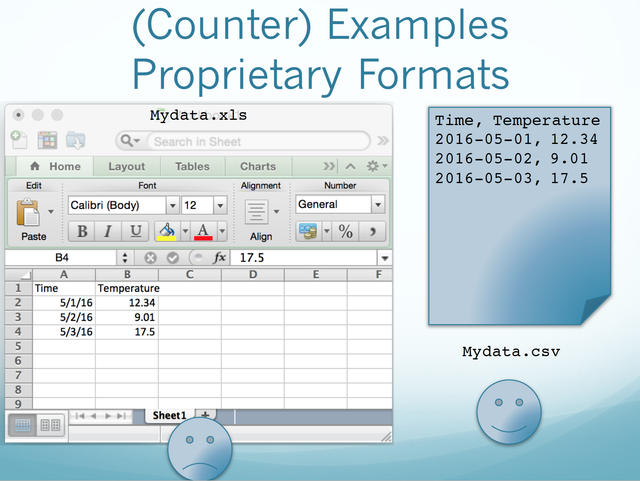
What is considered ‘common’ may vary somewhat by science domain. The use of proprietary data formats, such as IDL “.sav” files, is discouraged because of the need for a license in order to use the data.
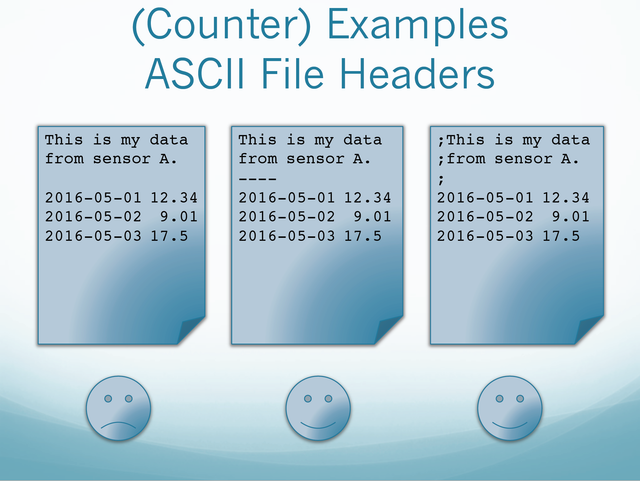
“Self-describing” means that metadata about the data is included in the file or package. Self-describing formats include: NetCDF, HDF, and CSV with headers. ASCII or CSV data without header information, or binary data, are not self-describing.
Machine Readability
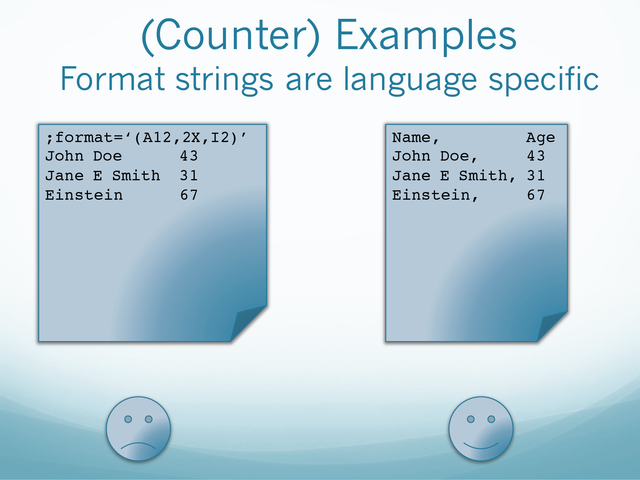
Any dataset can be machine readable if one writes one-off code to do so. However, datasets should be interoperable, which implies not having to create nor rely on specialized code.
Machine readability isn’t a binary condition of a dataset; it’s a continuum. The issue is whether one can use a dataset in an existing tool that conforms to current standards. Use of a common data format or metadata schema is the first step in achieving machine readability.
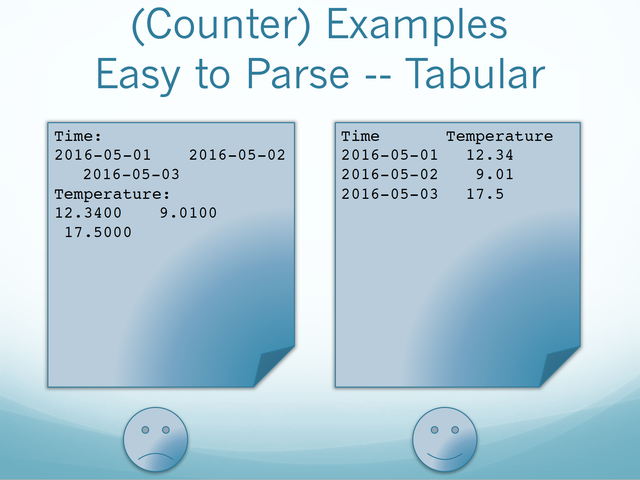
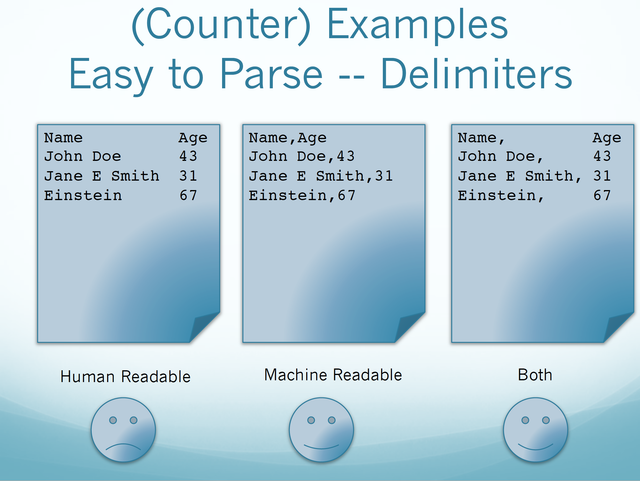
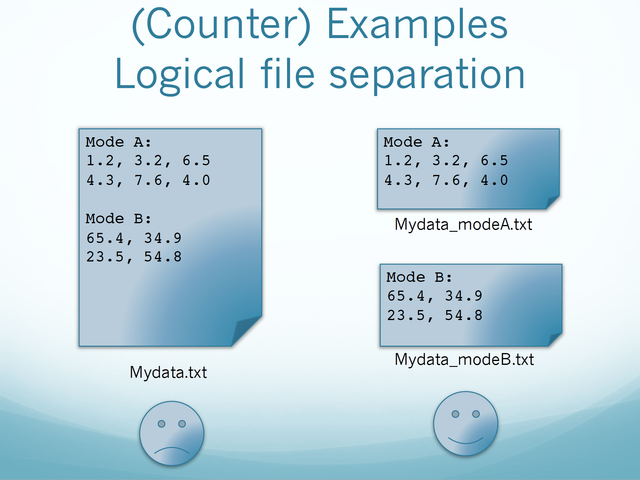
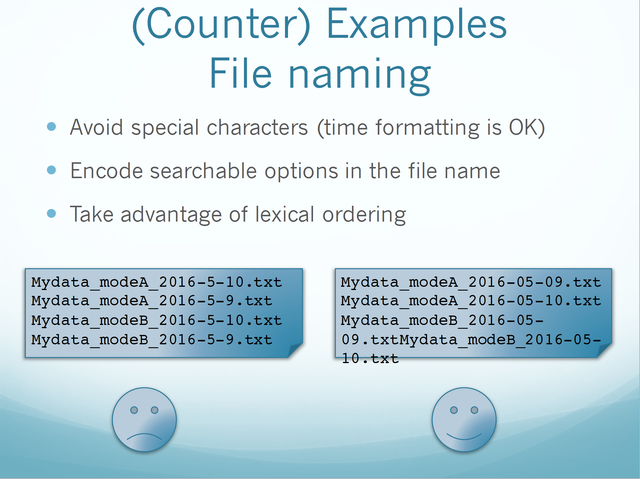
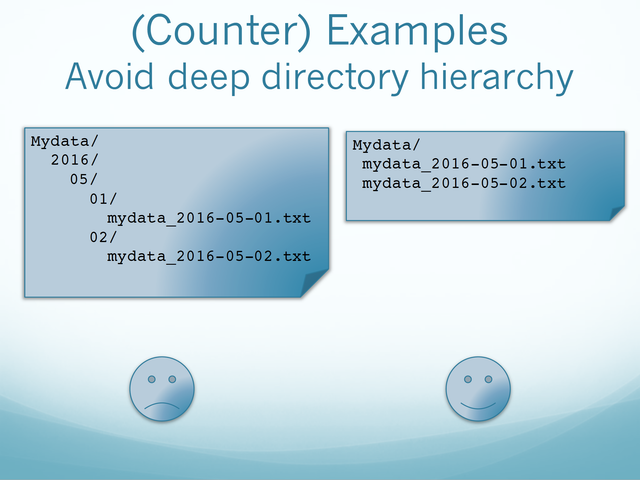
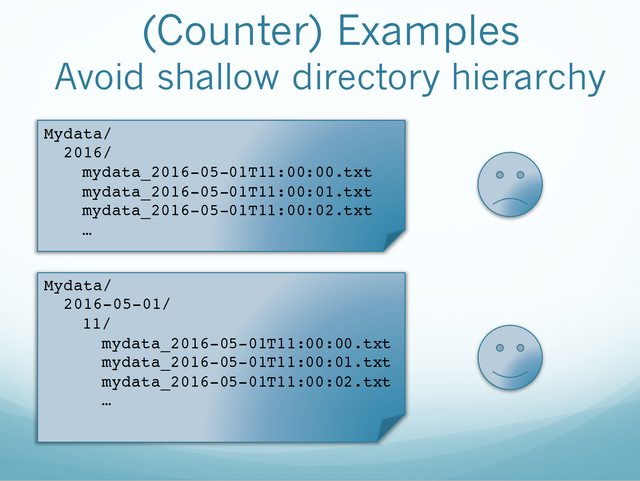
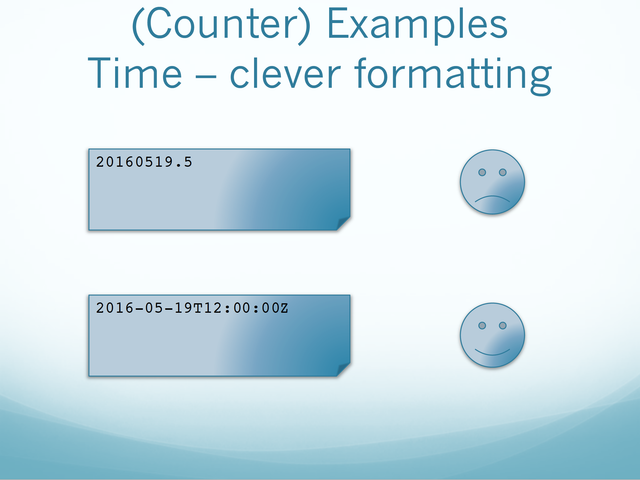
There are ways to structure data that foster machine readability, and ways that do not.
To improve machine readability:
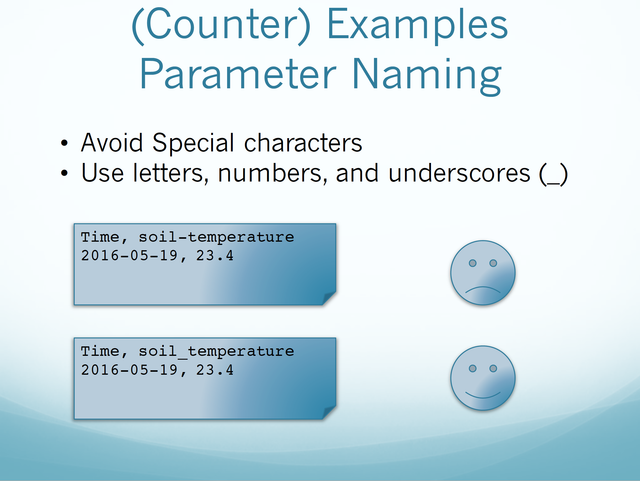
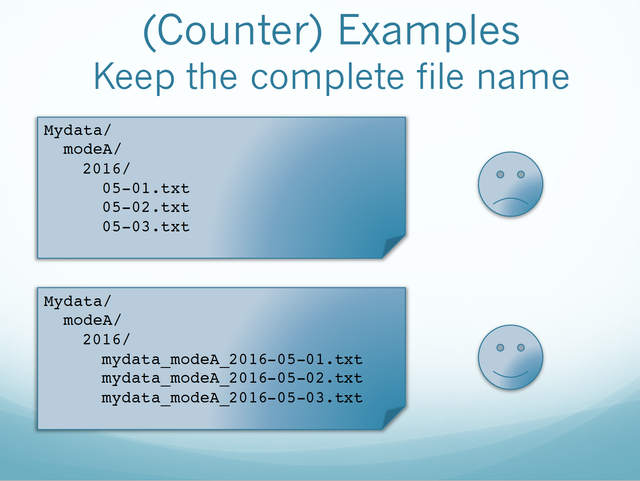
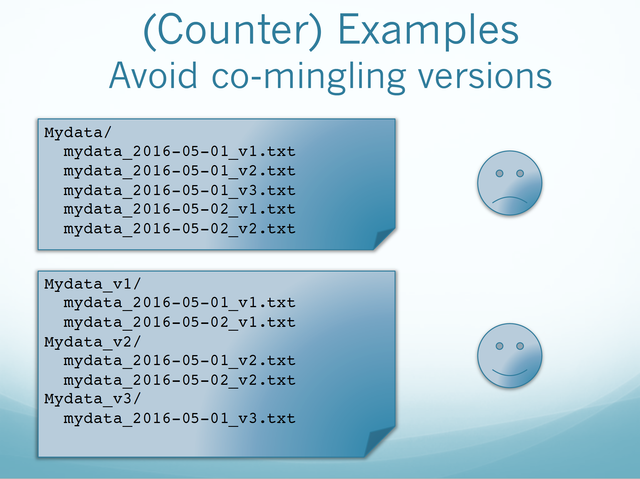
Use consistent naming conventions and delimiters
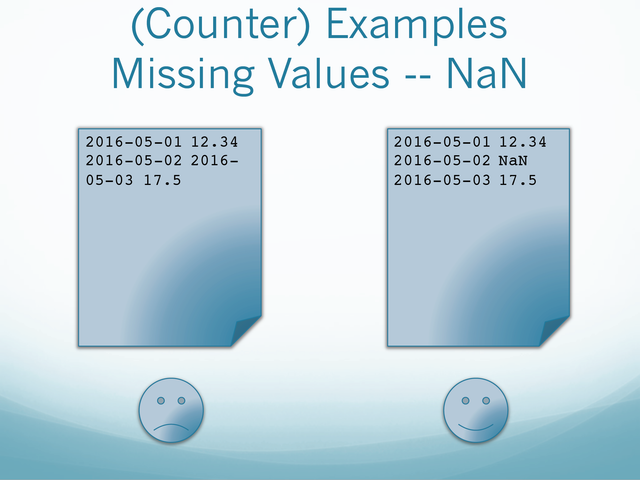
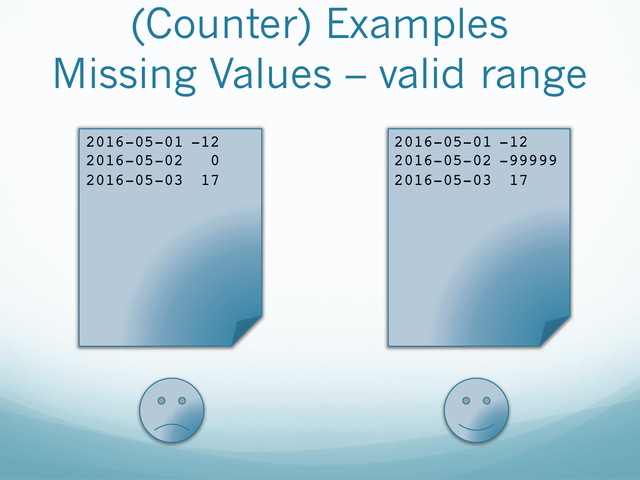
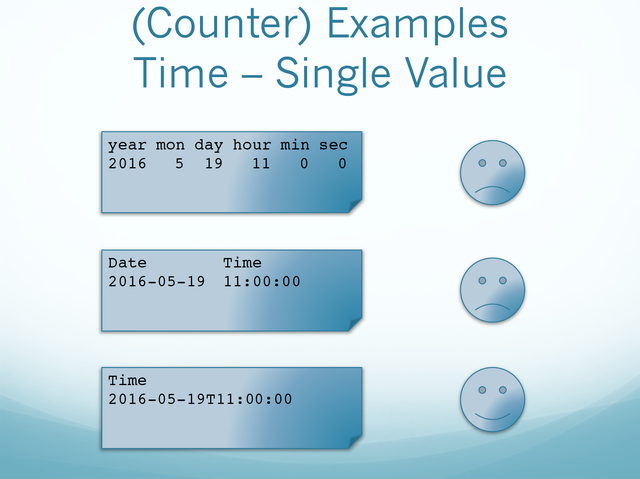
Represent missing values clearly
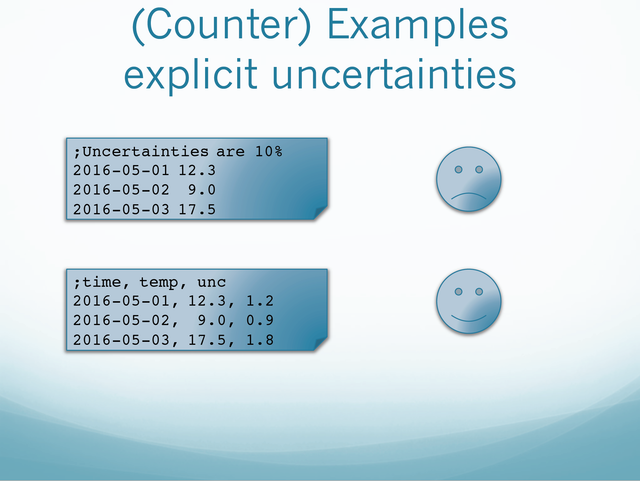
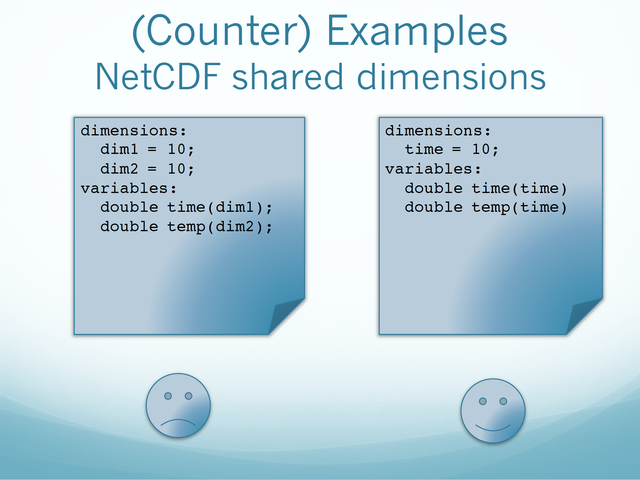
Include metadata in self-describing formats
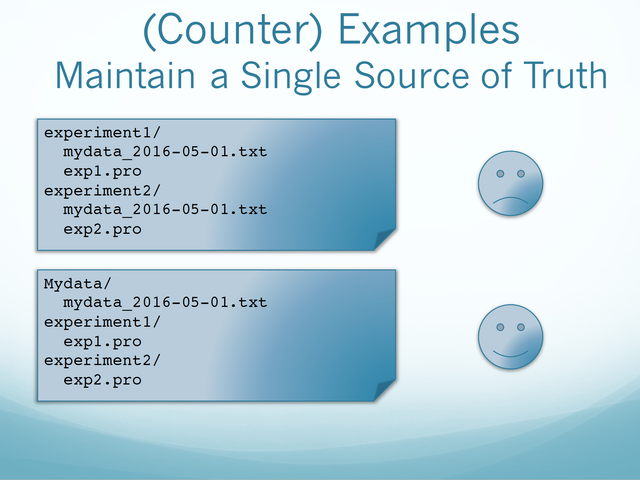
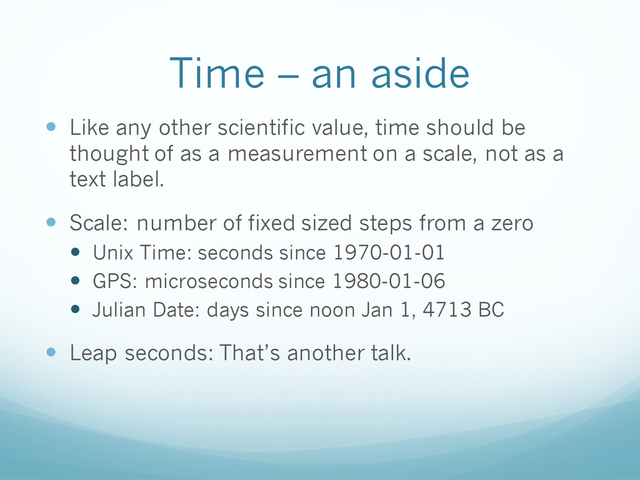
Examples of what to do and what not to do with your data
Useful Links
Acronyms
List of acronyms used in the guideline
AWS = Amazon Web Services
CDF = Common Data Format
CSV = Comma-Separated Values
DOI = Digital Object Identifier
FITS = Flexible Image Transport System
HDF = Hierarchical Data Format
IDL = Interactive Data Language
LEMR = LASP Environmental Metadata Repository
LISIRD = LASP Interactive Solar Irradiance Data Center
MOU = Memorandum of Understanding
NetCDF = Network Common Data Form
Credit: Content taken from a Confluence guide written by Anne Wilson and Shawn Polson